facebook Bluestacks VPS Hosting Server | Cheap Emulator VPS

Bluestacks VPS Hosting Server

VPS Hosting for Bluestacks Emulator

bluestacks vps hosting server
Artisan
Epyllion Group
Chemical
Alok Healthcare
Betopia Group
Eicra Soft Ltd
Regatta Great Outdoors
Company Logo
BNIC
BNIC
BNIC
Bangladesh Specialized Hospital
Zess Tyre & Tube
Artisan
Epyllion Group
Chemical
Alok Healthcare
Betopia Group
Eicra Soft Ltd
Regatta Great Outdoors
Company Logo
BNIC
BNIC
BNIC
Bangladesh Specialized Hospital
Zess Tyre & Tube
VIRTUAL SERVER PRICING PLANS

Choose the best plan

Honest and affordable pricing model to help you get started easily.

Server Type
Select Currency
Available OS:
Linux Linux
Windows Windows
Available In: 70+ Locations


VPS LITE
TK 990 $ 9.90 /month
Perfect for small projects.
  • 1 Core vCPU
  • 2 GB RAM
  • 50 GB NVMe Storage
  • 1 TB Traffic
  • 1 IPv4 Addresses
  • 1 Gbit/s Port Speed
Deploy Now
VPS PRO
TK 1,990 $ 19.90 /month
Ideal for growing websites.
  • 2 Core vCPU
  • 4 GB RAM
  • 50 GB NVMe Storage
  • 1 TB Traffic
  • 1 IPv4 Addresses
  • 1 Gbit/s Port Speed
Deploy Now
VPS ELITE
TK 3,590 $ 35.90 /month
Best for busy web apps.
  • 4 Core CPU
  • 8 GB RAM
  • 50 GB NVMe Storage
  • 2 TB Traffic
  • 1 IPv4 Addresses
  • 1 Gbit/s Port Speed
Deploy Now
VPS POWER
TK 5,990 $ 59.90 /month
For high-traffic applications.
  • 8 Core CPU
  • 16 GB RAM
  • 50 GB NVMe Storage
  • 2 TB Traffic
  • 1 IPv4 Addresses
  • 1 Gbit/s Port Speed
Deploy Now
VPS ULTRA
TK 11,590 $ 115.90 /month
Enterprise-grade performance.
  • 16 Core CPU
  • 32 GB RAM
  • 50 GB NVMe Storage
  • 2 TB Traffic
  • 1 IPv4 Addresses
  • 1 Gbit/s Port Speed
Deploy Now
PREMIUM STARTER
TK 1,999 $ 19.99 /month
Resources for professionals.
  • 2 Core CPU (Premium)
  • 4 GB RAM
  • 40 GB NVMe SSD
  • 20 TB Traffic
  • 1 IPv4 Addresses
  • DDoS Attack Protection
  • Fast Support
Deploy Now
PREMIUM PRO
TK 2,999 $ 29.99 /month
Premium performance.
  • 4 Core CPU (Premium)
  • 8 GB RAM
  • 80 GB NVMe SSD
  • 20 TB Traffic
  • 1 IPv4 Addresses
  • DDoS Attack Protection
  • Fast Support
Deploy Now
PREMIUM BUSINESS
TK 4,999 $ 49.99 /month
Business-critical applications.
  • 8 Core CPU (Premium)
  • 16 GB RAM
  • 160 GB NVMe SSD
  • 20 TB Traffic
  • 1 IPv4 Addresses
  • DDoS Attack Protection
  • Fast Support
Deploy Now
PREMIUM ELITE
TK 6,999 $ 69.99 /month
Ultimate premium experience.
  • 16 Core CPU (Premium)
  • 32 GB RAM
  • 320 GB NVMe SSD
  • 20 TB Traffic
  • 1 IPv4 Addresses
  • DDoS Attack Protection
  • Fast Support
Deploy Now
💬

Need More Powerful Server?

Can't find the perfect plan? We'll create a customized server configuration tailored to your specific needs and requirements.

Multiple Operating Systems & Control Panel

public 9
public 10

Our Datacenter Locations

High-performance servers across the globe

Asia
Europe

North America
Oceania
South America
Africa
BlueStacks Pre-Installed

BlueStacks VPS Hosting — Run Android Apps & Games 24/7 in the Cloud

Get a dedicated Windows VPS with BlueStacks already installed and ready to go. Connect over RDP, log in, and start running Android apps, games, or multi-instance automation — with optional GPU acceleration for smoother performance.

Instant RDP access · 24/7 support · 7-day money-back guarantee

What's Included

  • BlueStacks pre-installed, ready on first login
  • Full RDP access with admin control
  • Optional GPU acceleration for gaming & multitasking
  • NVMe SSD storage for fast load times
  • Run multiple BlueStacks instances simultaneously
  • 24/7 uptime — no need to keep your PC on
99.9% Uptime Guarantee
BlueStacks Pre-Installed
GPU Options Available
24/7 Support
Core Features

Everything Your BlueStacks VPS Needs

A dedicated Android emulation environment, set up the right way from the first login.

📱

BlueStacks Pre-Installed

No setup, no downloads, no waiting. Your VPS arrives with BlueStacks already installed and configured, so you can log in over RDP and start running Android apps immediately.

🎮

GPU Acceleration Available

Choose a GPU-enabled plan for smoother graphics, faster app rendering, and better performance when running multiple BlueStacks instances or graphics-heavy games at once.

🖥️

Full RDP Access

Connect from Windows, macOS, or Linux using any standard RDP client. You get full administrative control over your environment, just like a local PC — only it never sleeps.

NVMe SSD Storage

Every BlueStacks VPS plan runs on enterprise NVMe SSD storage, so apps launch quickly and multitasking across instances doesn't bottleneck your workflow.

🔄

Multi-Instance Support

Run several BlueStacks instances side by side for multi-account management, parallel testing, or running more than one game or app at the same time.

🛡️

Isolated, Secure Environment

Your VPS runs in its own isolated sandbox, separate from other customers. Firewalls and monitoring run in the background so your environment stays stable and protected.

Why BlueStacks VPS

Why Run BlueStacks on a VPS Instead of Your PC

Free up your own computer and get a dedicated environment that runs around the clock.

Built for Uptime, Not Just Convenience

  • Keep BlueStacks running 24/7 without tying up your own laptop or PC
  • Avoid local hardware limits — no need to upgrade your own RAM or GPU
  • Access your Android environment from any device, anywhere
  • Run automation, scripts, or bots without interrupting your daily work
  • Scale CPU, RAM, or storage as your workload grows
24/7
Always On
NVMe
SSD Storage
RDP
Full Access
GPU
Optional Boost
Who It's For

Who Uses BlueStacks VPS Hosting

From casual gamers to automation teams, a BlueStacks VPS fits a wide range of Android workflows.

🎮

Mobile Gamers

Play Android games with keyboard and mouse control, on a server that keeps running even when your own device is off.

🧪

App Developers & QA Testers

Test Android apps in a clean, isolated environment without affecting your development machine or physical test devices.

🤖

Automation & Scripting

Run macros, scripts, or bots that automate repetitive in-app actions, with a stable environment that doesn't interrupt your local PC.

📲

Multi-Account Managers

Manage multiple WhatsApp, Telegram, Instagram, or other app accounts from separate BlueStacks instances on one VPS.

📈

Digital Marketers

Run social media or marketing automation tools that require an always-on Android environment, separate from your work computer.

🏢

Agencies & Teams

Give team members shared or individual access to a consistent Android testing and automation environment without buying extra hardware.

Technical Details

What's Under the Hood

Built specifically to run BlueStacks smoothly, not just a generic Windows VPS.

Operating System
Windows Server (BlueStacks Pre-Installed)
Access Method
Remote Desktop Protocol (RDP)
Storage
NVMe SSD
Graphics
CPU-Only & GPU-Accelerated Plans
Instances
Multi-Instance Capable
Network
High-Speed, Low-Latency Connectivity
Performance

Performance That Keeps Up With Your Workload

Whether you're running one instance or several, your VPS is sized to handle it.

Fast

NVMe-Backed Storage

Apps and games load quickly thanks to enterprise-grade NVMe SSD storage on every plan.

🖥️
24/7

Always-On Access

Your BlueStacks environment stays online continuously, so scheduled tasks and sessions never get interrupted.

🎮
GPU

Optional Acceleration

Pick a GPU-enabled plan when you need smoother graphics for gaming or multi-instance use.

Compare

BlueStacks VPS vs Running BlueStacks Locally

See why a dedicated VPS often makes more sense than running BlueStacks on your own PC.

Feature CloudWave BlueStacks VPS Local PC / Laptop
Pre-installed BlueStacks setup
Runs 24/7 without keeping your device on
Dedicated resources, not shared with daily tasks
Optional GPU acceleration without hardware upgrades
Access from any device via RDP
Frees up your own PC for other work
Getting Started

Up and Running in Three Steps

From order to your first BlueStacks session, the whole process is quick.

1

Choose Your Plan

Pick a CPU-only or GPU-accelerated BlueStacks VPS plan based on how many instances you plan to run.

2

Get Your RDP Details

Receive your login credentials by email once your VPS is provisioned, ready to connect right away.

3

Log In & Start Using BlueStacks

Connect over RDP, open BlueStacks — already installed and waiting — and start running your Android apps or games.

Compatibility

Built for the Apps You Actually Use

Your BlueStacks VPS supports the same range of Android apps and games you'd run locally.

Mobile Games

Run popular Android games with mouse and keyboard support

Social & Messaging Apps

WhatsApp, Telegram, Instagram, and similar apps

Dev & Testing Tools

App testing, debugging, and QA workflows

Automation Tools

Scripts, macros, and scheduled task tools

Common Questions

Frequently Asked Questions About BlueStacks VPS Hosting

Answers to the questions we hear most often from customers considering a BlueStacks VPS.

What is BlueStacks VPS hosting? +
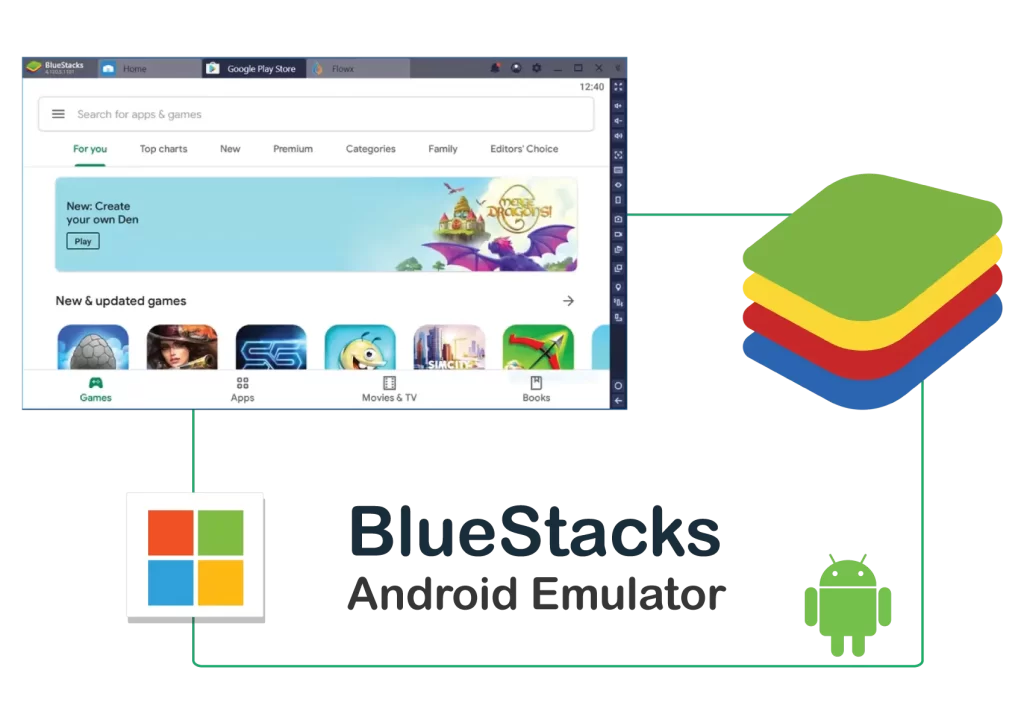
BlueStacks VPS hosting is a Windows-based virtual private server with the BlueStacks Android emulator pre-installed. Instead of running BlueStacks on your own PC, you connect to a dedicated remote server over RDP and run Android apps, games, or automation tools there. The server stays online continuously, so your environment is always available, even when your own device is switched off.
Is BlueStacks already installed, or do I have to set it up myself? +
BlueStacks comes pre-installed and ready to use on every CloudWave BlueStacks VPS plan. Once you receive your RDP login details, you simply connect, open BlueStacks, and start using it right away. There is no need to download or configure the emulator yourself.
Do I need a GPU plan, or is CPU-only enough? +
It depends on your workload. A CPU-only plan works well for lighter use, such as messaging apps, basic testing, or running a single BlueStacks instance. If you plan to play graphics-heavy games, run multiple instances at once, or need smoother visual performance, a GPU-accelerated plan is the better fit. Our support team can help you choose based on what you plan to run.
Can I run multiple BlueStacks instances at the same time? +
Yes. Depending on your plan's CPU, RAM, and GPU resources, you can run multiple BlueStacks instances simultaneously. This is useful for managing several app accounts, testing across multiple sessions, or running more than one game at a time. Higher-resource plans support more concurrent instances.
How do I connect to my BlueStacks VPS? +
You connect using Remote Desktop Protocol (RDP), which works from Windows, macOS, or Linux devices using any standard RDP client. After your order is set up, we email you the server address, username, and password needed to log in.
Can I use BlueStacks VPS for automation, macros, or bots? +
Yes. Many customers use BlueStacks VPS hosting specifically for automation, including macros, scripts, and bots that handle repetitive in-app actions. Running this on a VPS means the automation keeps working continuously without tying up your personal computer.
What can I use a BlueStacks VPS for? +
Common uses include playing Android games with keyboard and mouse, testing Android apps during development, running automation scripts or bots, and managing multiple social media or messaging accounts from separate instances. It's a flexible setup for anyone who needs an always-on Android environment outside of their own device.
Do you provide support if I have trouble setting things up? +
Yes, our support team is available 24/7 in both Bangla and English. If you run into any issues connecting to your VPS or using BlueStacks, you can reach us through WhatsApp, live chat, or a support ticket, and we will help you get things running.

Get Your BlueStacks VPS Today

BlueStacks pre-installed, RDP-ready, and online 24/7. Choose a CPU-only or GPU-accelerated plan and start running your Android apps in minutes.

Client Testimonials

Mahmudul Haq

Mahmudul Haq

Software Support Analyst

Outstanding service! Their team boosted our startup's online presence significantly.

H M Nasir

H M Nasir

Digital Marketer

Reliable and professional. Helped my store gain more customers.

Taraque Alam

Taraque Alam

HR-Executive at Trillion Gold Ltd

Fantastic support and timely delivery!

Arif Khan

Arif Khan

Software Developer, Sylhet

Their expertise in web development was top-notch. Highly recommend!

Nusrat Jahan

Nusrat Jahan

Freelancer, Rajshahi

Great collaboration and quick turnaround. Made my project a success!

James Carter

James Carter

Marketing Consultant

Their creative strategies delivered measurable results for our campaigns.

Our Ratings

Last updated: May 2025

4.8/5 (1,234 reviews) Verified
4.5/5 (567 reviews) Verified